See the portal that keeps customer work moving.

Customer messages, content requests, campaign ideas, files, and approvals land in one clean workspace. MAP helps a small business owner answer faster, create useful posts, and keep follow-through from slipping.
One inbox Messages, comments, reviews, and MAP requests in one place.
One publisher Drafts, platform previews, scheduling, and posting.
One portal Files, campaigns, settings, and mobile access included.
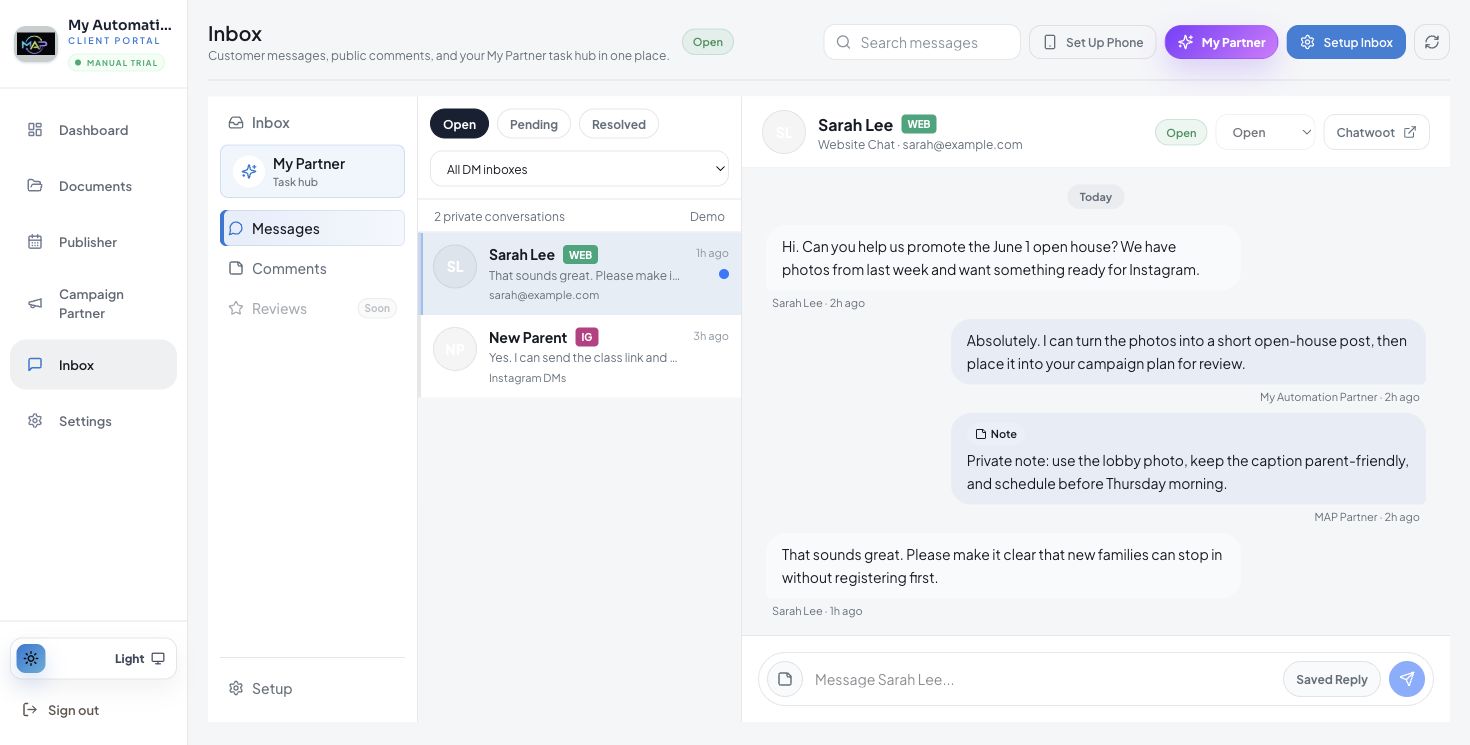
MAP portal Inbox with customer message and response workflow
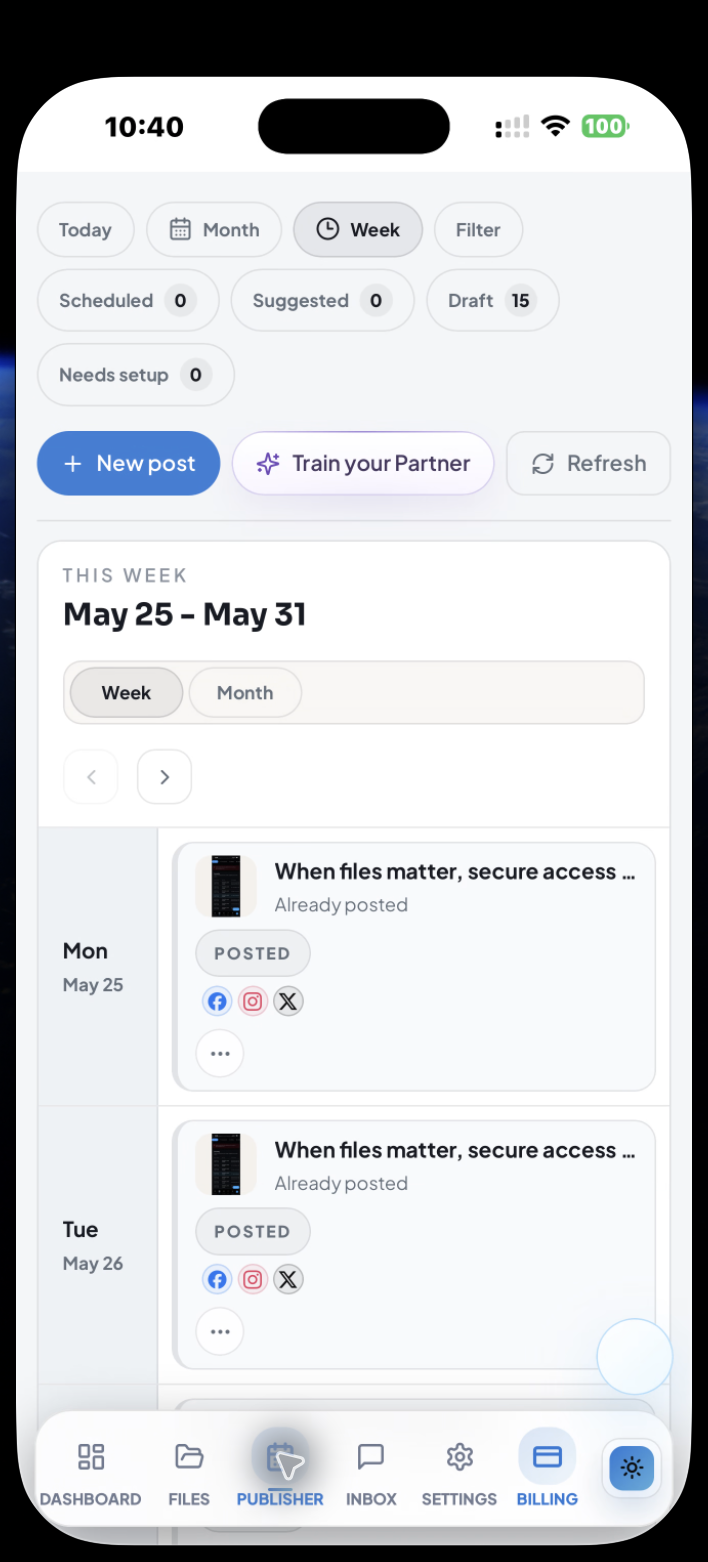
MAP mobile Publisher screen showing scheduled content
Start from the request, not a blank screen. A customer asks for help. MAP turns that into a reviewable post, campaign, or follow-up task.
01Capture the requestWebsite chat, social messages, comments, and MAP tasks stay organized.
02Create the postPartner Assist helps shape captions, creative, timing, and platform previews.
03Plan the campaignTurn ideas into a usable schedule with campaign drafts ready for review.
04Keep files closeSecure files, campaign assets, and review links stay connected to the work.

From customer message to finished work.

MAP is built around the actual rhythm of a small business: answer the customer, turn the request into useful content, organize the campaign, and keep the supporting files where the work happens.

Inbox screenshot showing customer message and MAP reply workflow

Inbox: message history, channel context, and response tools stay in one readable view.
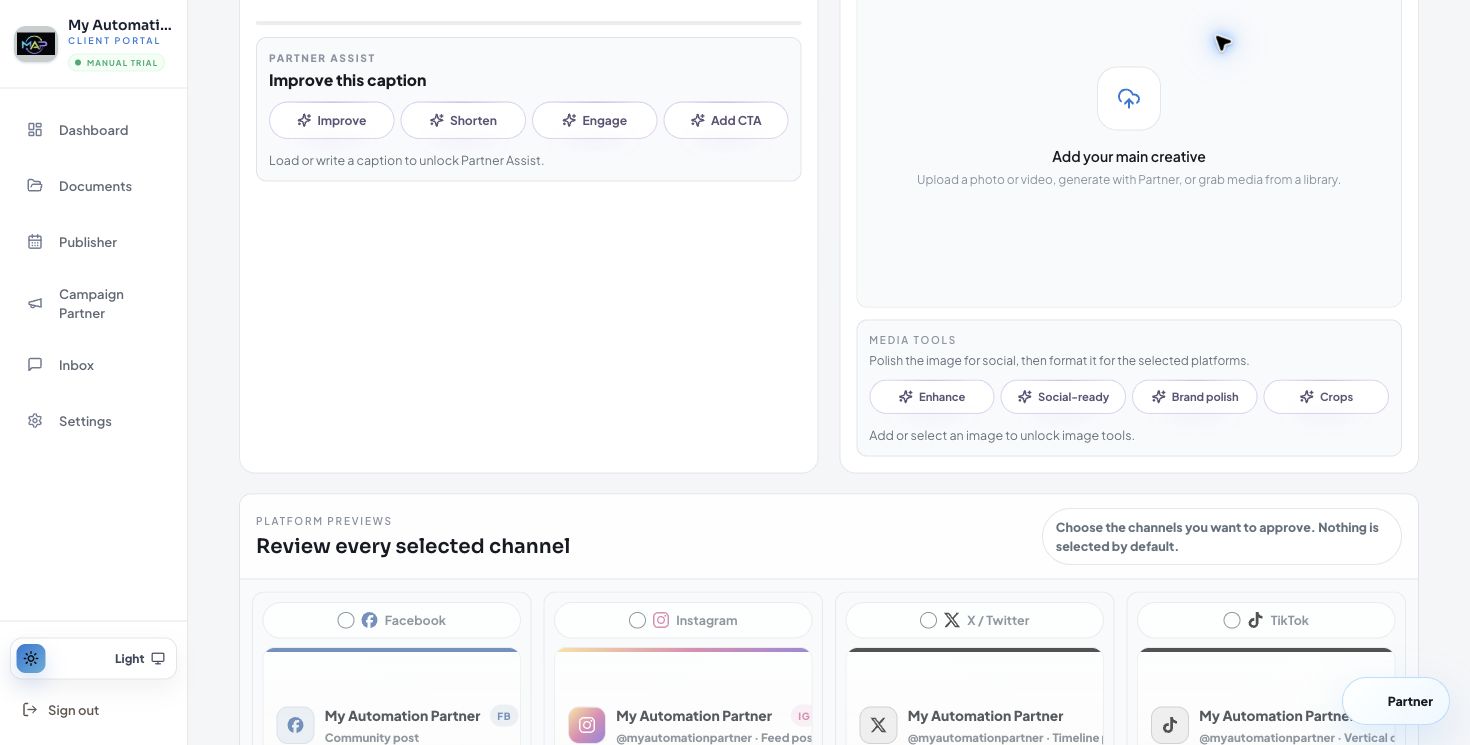
Create Post screenshot showing caption, platform previews, creative, and timing controls

Create Post: review caption, creative, social previews, and timing before anything goes out.
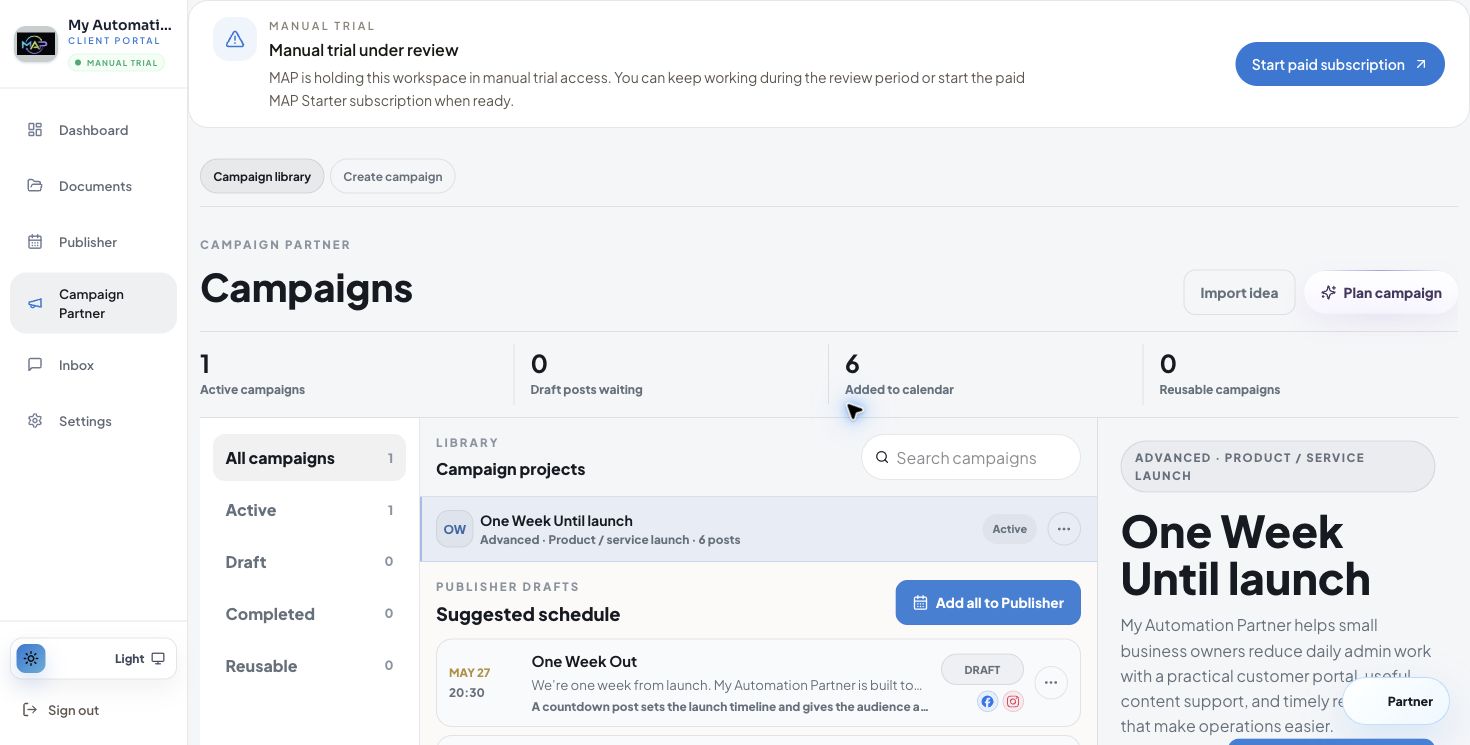
Campaign Partner screenshot showing campaign library and suggested schedule

Campaign Partner: plan a launch, keep drafts waiting, and move the best ideas into Publisher.
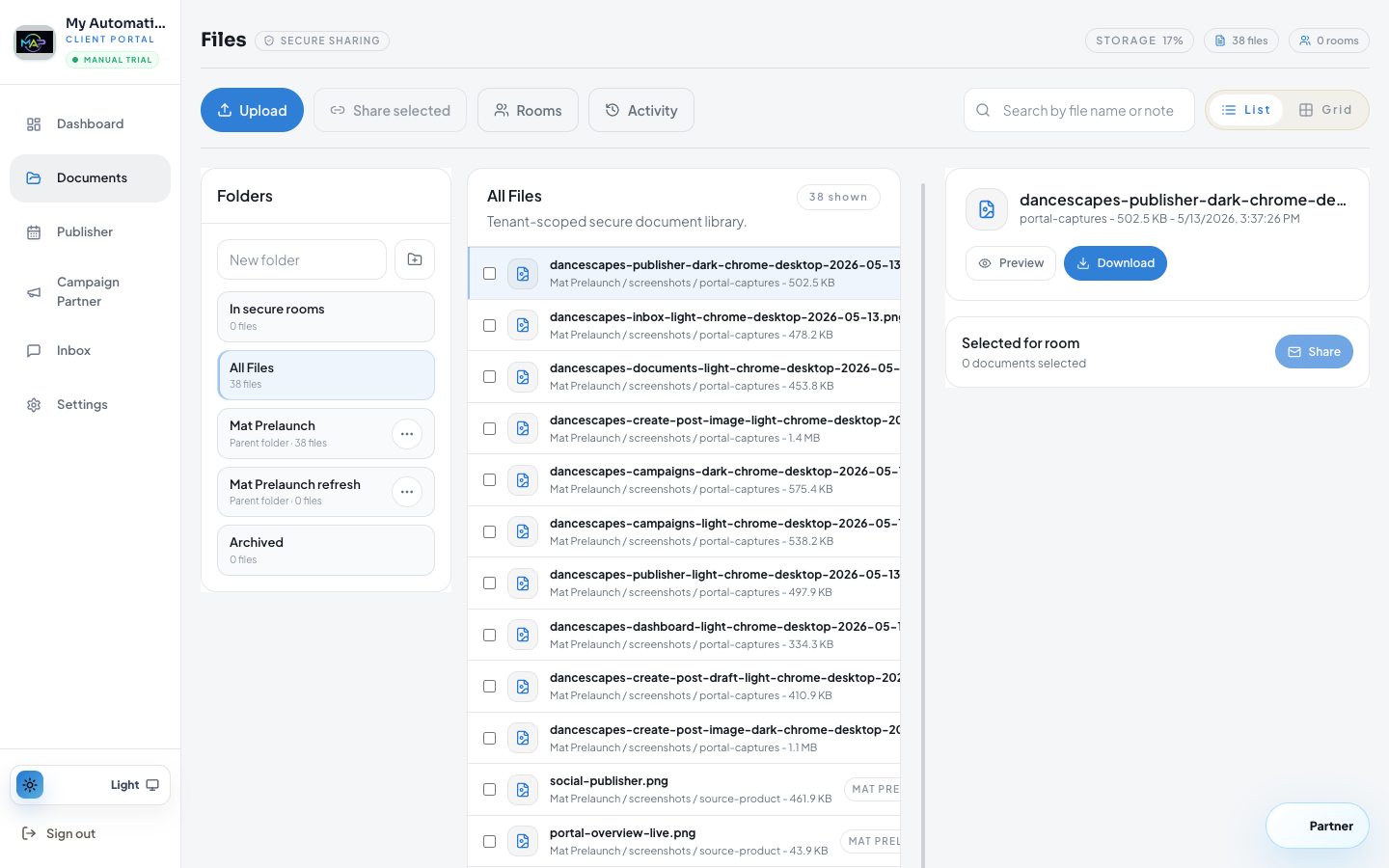
Files screenshot showing secure document library and selected file preview

Files: source images, secure documents, and reusable campaign assets stay tenant-scoped.

Built for the work that usually gets scattered.

Each surface is focused, but the product feels like one connected workspace. Customers ask, owners review, MAP helps draft, and the next action is always close.

My Partner task hub

When the owner needs help, MAP keeps common tasks easy to find: create a post, review drafts, check scheduled posts, or ask a quick question.
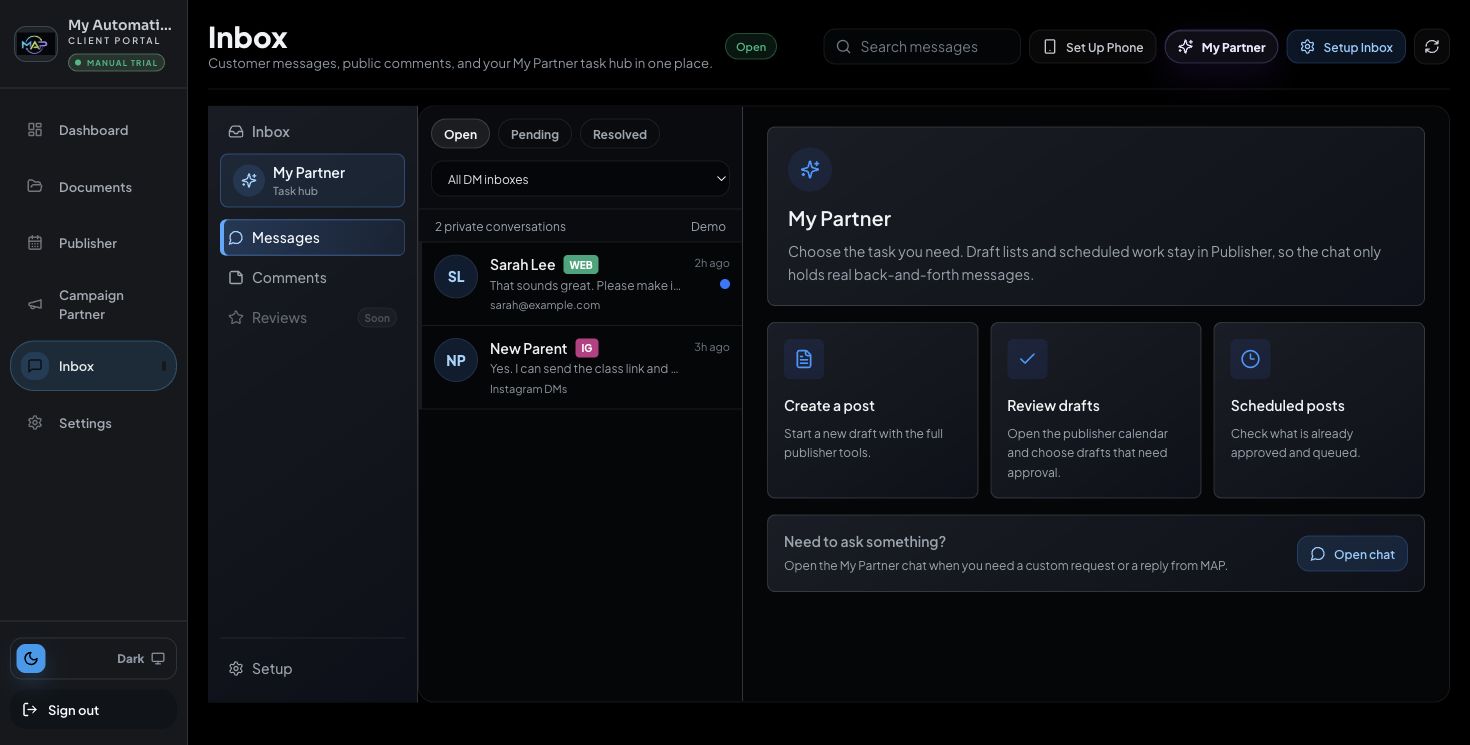
Dark mode Inbox task hub screenshot

Campaign library

Launch campaigns and reusable content sets live beside the publishing schedule, so ideas can become actual posts without switching tools.

Campaign library screenshot with active campaign and schedule

The same portal, ready when you are.

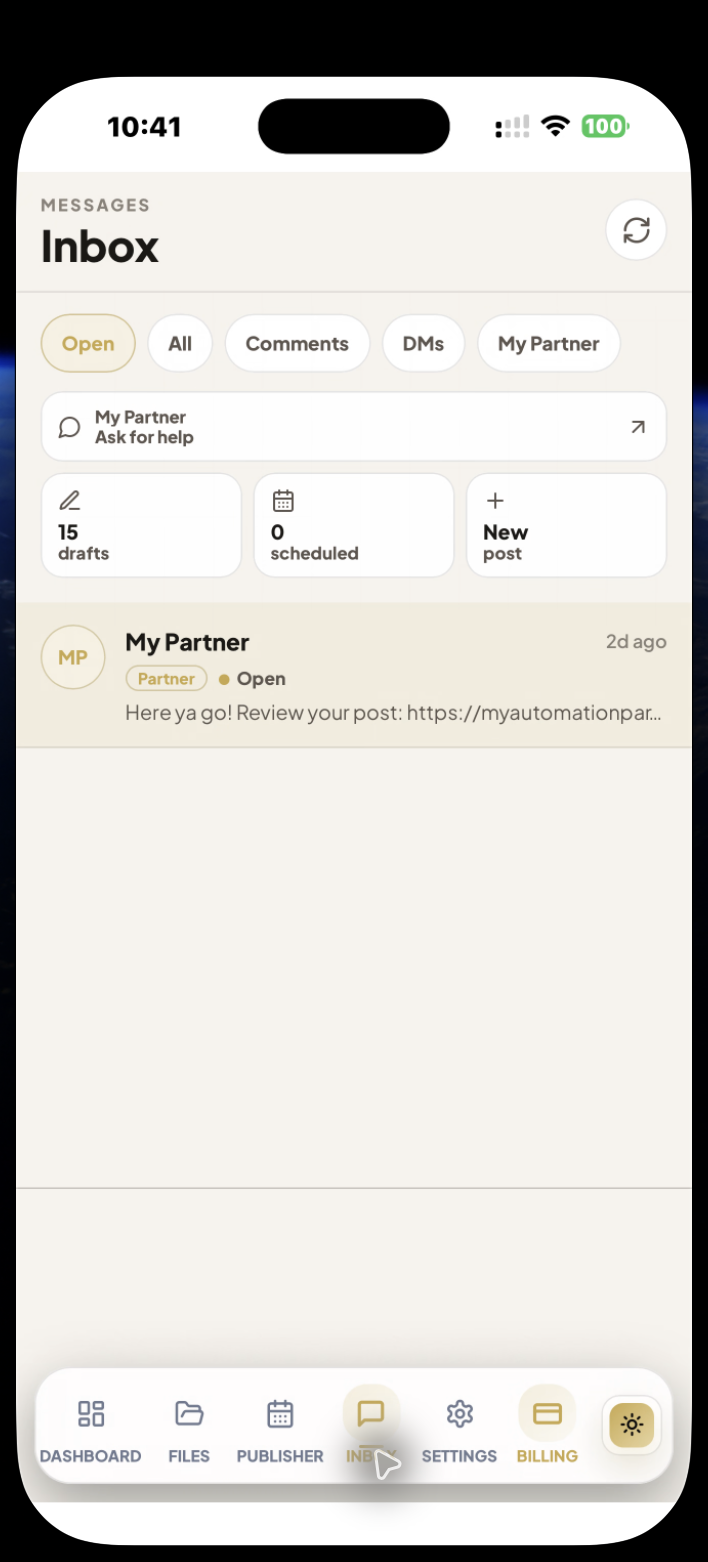
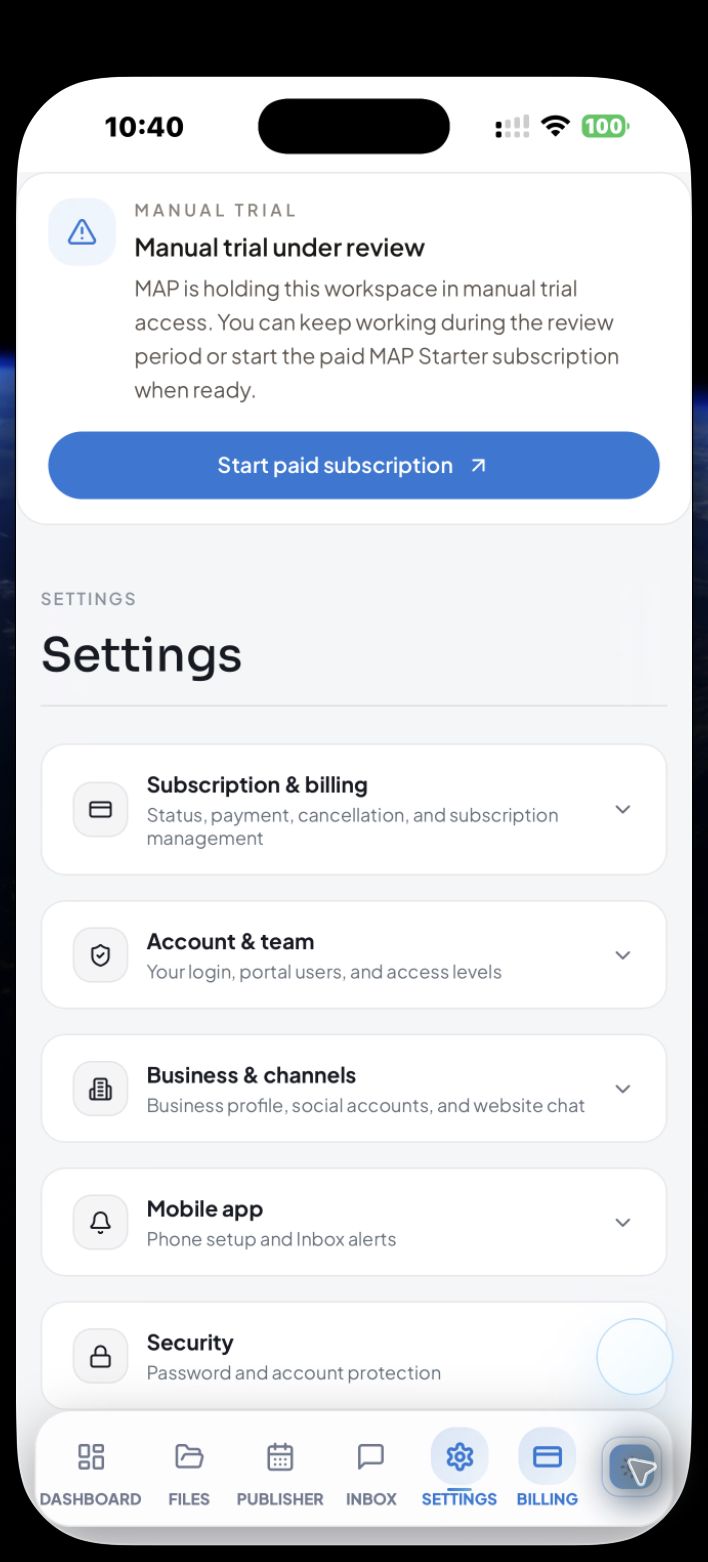
Owners do not need to sit at a desk to keep the work moving. The mobile portal keeps Publisher, Inbox, Files, and Settings reachable with the same shared MAP workflow.
Review draft posts and scheduled content from the phone.
Open customer and MAP conversations without losing context.
Manage account, channels, billing, notifications, and security in one settings area.
Current mobile Publisher calendar screenshot
Current mobile My Partner inbox screenshot
Current mobile Settings screenshot

Launch with one portal instead of five disconnected tools.

Start with a 30-day trial. No card is collected at signup, and the launch plan is $25/month only if you continue.